
SET UP FOR YOU / 4 MIN READ
Your first ten minutes with a tracker.
Open the box, match the tracker to its card and learn what a good first report looks like. We’ll use a caravan to walk through an agreed test with the person who will answer.
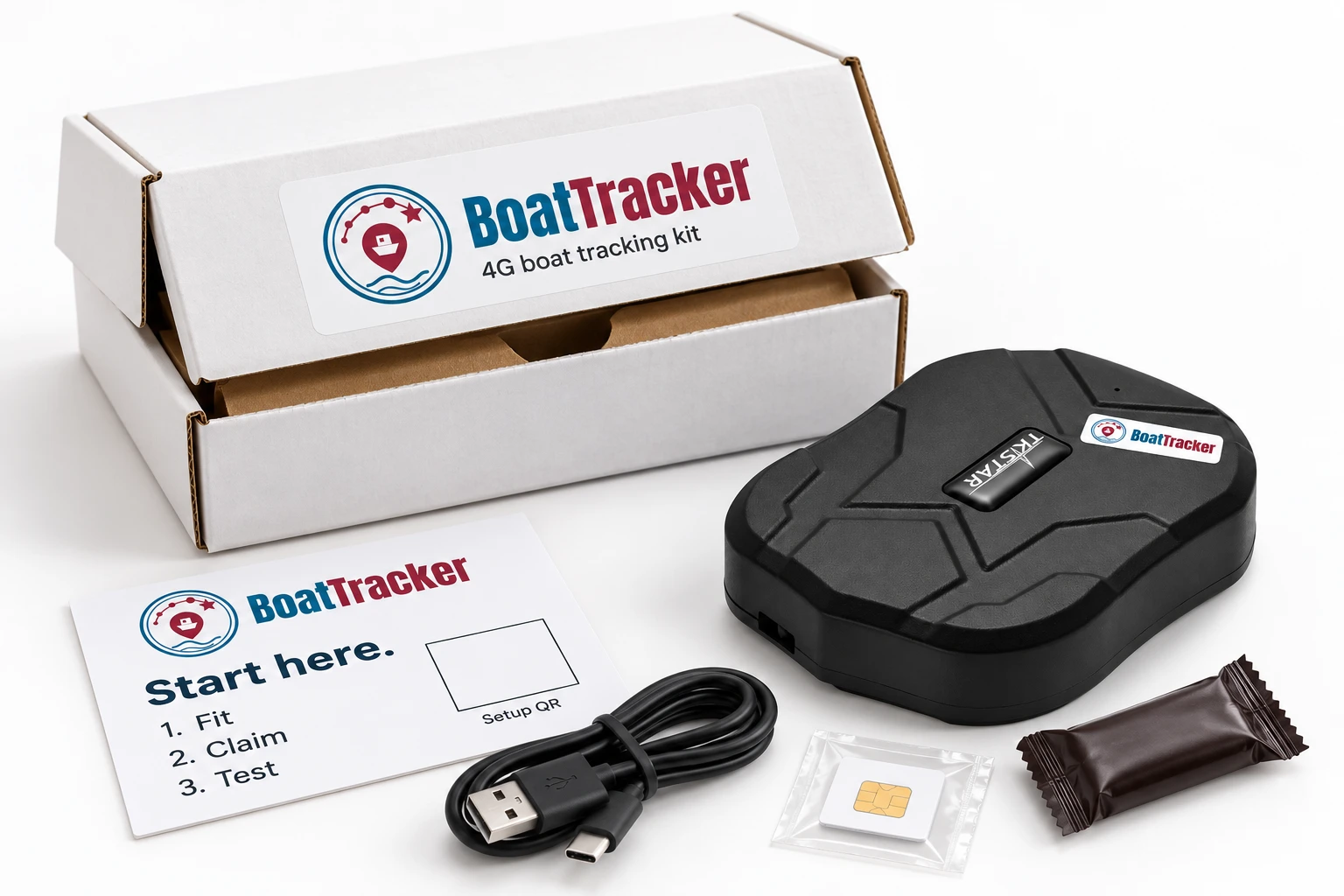
Match the box to the item
Pick up the tracker and its setup card together. Check the product against your order. With a multi-unit order, keep each tracker beside its own card until you have named the item in the account. The supplied SIM and reporting settings are prepared before dispatch. Follow the card to link the correct unit, and keep any real activation code private.
Fit the tracker where it will stay
For the weekend caravan, choose a secure spot you can reach for charging. Close the door and put the cover back as usual before checking a report. A unit that works on the kitchen table still needs a check at the storage pitch. For a wired installation, a collar or a case, follow the guide for that fitting and allow the time the job needs.
Read the two times
In the caravan example, the position was recorded at 2:02pm and the tracker last contacted the service at 2:22pm. The map shows the location at 2:02pm. Look for a fresh position from the fitted spot before treating the check as complete. If the position stays old, compare the two times again. If contact has also stopped, check the power and reception.
Agree who will answer
Suppose you want the first call and a neighbour has agreed to be your backup. Agree which movements matter at your storage pitch. Open the caravan’s alert settings to review the hours, channels and contact order together. Tell both people when you plan to test. A person with access to a map only receives alerts if you choose them for the event.
Practise the first alert
In the phone rehearsal, tick the fitting and contact check, then start the example alert. Read the item name and recorded time in the message. Open the test position. Try answering first, then run the example again with the first contact unavailable. Watch the backup accept. The rehearsal uses sample reports and sends no messages or calls.
If the phone stays quiet
First check whether the event appeared for the right tracker during its active hours. Then check the selected channel, destination and delivery result. A logged call attempt still needs someone to answer. If a live test leaves a gap, record the event and position times for support and repeat the test with your chosen contact after the issue is resolved.
PUT THE STORY INTO PRACTICE
Ready to see what reaches the phone?
Keep reading.
All field notes →The quad is gone. The story isn’t over.
Tomorrow starts with the feed round. Tonight starts with a phone beside the bed. Follow an illustrated night from the first report to the next morning.
Read the story →BETWEEN ADVENTURESThe longest part of a holiday is sometimes the wait.
A caravan in storage needs a routine for the weeks between trips, including charging, report age and the next person moving it.
Read the story →WATCH THE STORY / 32 SECONDS
The box shouldn’t be a project.
A short look at the prepared kit, fitting checks and first useful report.
Illustrated setup example. Follow the fitting guide supplied with your tracker.
Click to play · captions on screen · sound optional
Read the film transcript
The box shouldn’t be a project. SIM fitted. Password changed. Reporting configured.
Fit it for the real thing. Mount it securely. Check power and reception, right where it lives.
Read the report. Check the time. A recent contact isn’t a fresh position. Example position: 2:02pm. Last contact: 2:22pm.
Bring in the people you choose. They see what you pick, for as long as you pick. Example account: fictional reports.
Yours to keep. GotATracker. Set up for you. Data included. Choose your tracker.